 ultimate-guide
Professional CCTV Installation Cost 2026: Full Pricing Guide
Table of Contents
- What Drives Professional CCTV Installation Cost in 2026
- Security Camera Installation Labor Rates 2026
- Commercial vs Residential CCTV Installation Costs
- CCTV Maintenance and Monitoring Fees
- Hidden Costs: Permitting, Network Upgrades, and Smart Home Integration
- DIY vs Professional CCTV Installation: Where the Savings Disappear
- How to Budget for Professional CCTV Installation Cost in 2026
- Frequently Asked Questions
Last Updated: September 16, 2026
What Drives Professional CCTV Installation Cost in 2026
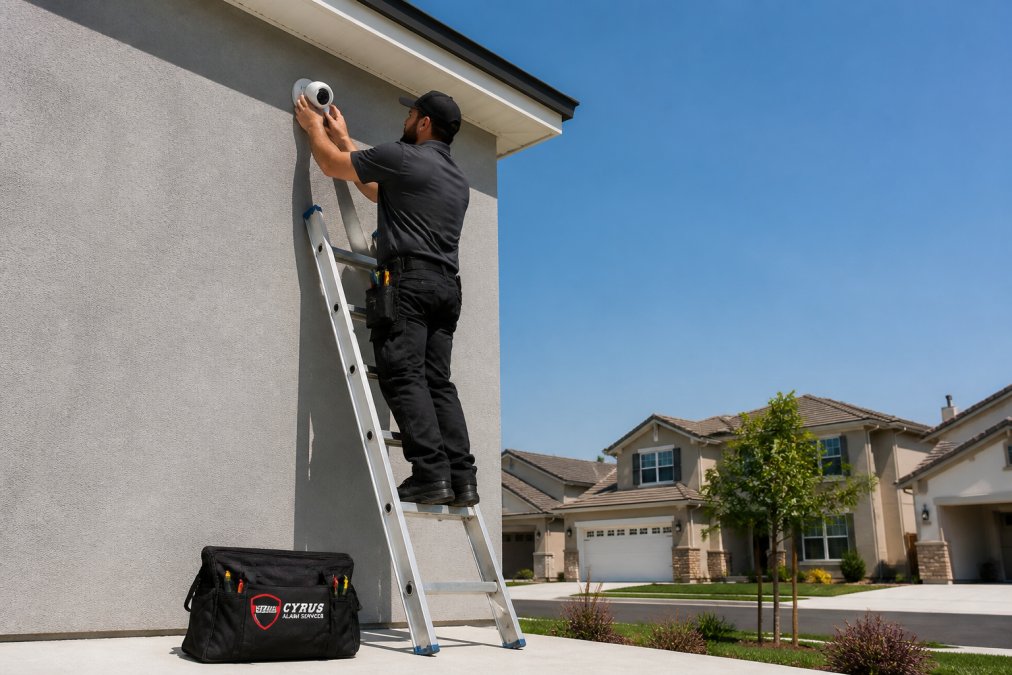
The professional CCTV installation cost in 2026 hinges on three variables: camera count, wiring and mounting complexity, and whether the job is residential or commercial. The pattern is consistent: labor and infrastructure, not the cameras themselves, dictate the final invoice.
Camera Count, Resolution, and Field of View
More cameras mean more labor hours, cable runs, and configuration time. Higher resolution (4K versus 1080p) also increases storage and bandwidth demands, which can trigger a network upgrade.
Wiring, Mounting, and Configuration Complexity
PoE (Power over Ethernet) simplifies installation by delivering power and data over a single cable, but requires a compatible NVR (Network Video Recorder) and adequate switch capacity. Hardwired analog systems using a DVR (Digital Video Recorder) often need separate power runs, adding time.
Security Camera Installation Labor Rates 2026
Labor is where most budgets get surprised, because it's the line item installers have the most discretion over. Low voltage technicians bill differently by region, job complexity, and residential versus commercial work. Urban markets command higher hourly rates; rural areas may see lower rates but longer travel times folded into the quote.
The Four Pricing Models You'll Actually See
| Pricing Model | How It's Calculated | Best For | Risk to Buyer |
|---|---|---|---|
| Hourly rate | Billed per technician-hour, often with a one-hour minimum and a trip charge | Diagnostics, single-camera adds, troubleshooting | Cost overruns if the job runs long or the tech finds surprises |
| Flat fee | Fixed price for a defined scope (camera count, cable runs, configuration) | Full system installs with a clear site survey | Higher upfront quote; scope creep triggers change orders |
| Per-camera pricing | Fixed price per camera, sometimes tiered by indoor/outdoor or resolution | Scaling an existing system | Often excludes the first camera's NVR/head-end work and long cable runs |
| Per-drop (per-cable-run) pricing | Charged per cable pulled and terminated, plus a separate head-end fee | Commercial jobs where cable distance dominates | Easy to underestimate if you don't know your run lengths |
The key question: does the quote include configuration and testing, or just mounting and cabling? Many low quotes exclude the setup work that makes the system usable, motion zones, remote access, storage rules, and user accounts.
How a Quote Is Actually Built
Most reputable installers estimate labor in three buckets:
- Head-end work, mounting and configuring the NVR or DVR, terminating the patch panel, and setting up storage. A fixed block of hours regardless of camera count.
- Per-camera work, mounting, aiming, terminating, and testing each unit. Scales linearly; this is where per-camera pricing comes from.
- Cable runs, the wild card. A short interior run through an open ceiling is quick; a long exterior run through masonry, conduit, or a finished wall is not. Hence per-drop pricing on commercial jobs.
A few mechanics that move the number more than people expect:
- Attic and crawlspace access. A run fished through an accessible attic is fast; one requiring cut-and-patch drywall is not, and patching may be billed separately or excluded.
- Conduit and weatherproofing. Exposed exterior runs often need conduit, adding material and labor, sometimes as a separate line item.
- After-hours and weekend scheduling. Commercial sites that can't go dark often pay a premium for nights or weekends. Ask whether the rate changes outside standard hours.
- Travel and trip charges. Rural quotes may look cheaper per hour but include travel time, billed as a flat trip charge or folded into the hourly rate.
- Two-technician jobs. High mounts, long pulls, and heavy NVR racks often need a second tech, roughly doubling the labor line even if the job finishes faster.
What Separates a Low Quote From a Real One
A low quote usually means the scope is narrower than you think, the installer plans to upsell change orders, or configuration and testing are excluded. Line up two quotes on the same four questions:
- Does it include a site survey, or is the price based on your description over the phone?
- Does it include configuration (motion zones, remote access, storage rules) or just mounting and cabling?
- Does it include permits, conduit, and drywall patching, or are those excluded?
- What is the change-order rate if the job runs longer than estimated?
Commercial vs Residential CCTV Installation Costs
Commercial jobs cost more, and not just because there are more cameras. They involve scalability planning, enterprise deployment standards, multiple access points, and often integration with existing access control or alarm systems.
Why Scale Changes the Pricing Math
At scale, cabling infrastructure dominates. Long runs require signal boosters or fiber, bandwidth demands may force a switch or router upgrade, and commercial sites typically need redundant storage and centralized management software.
CCTV Maintenance and Monitoring Fees
Ongoing costs catch owners off guard. Maintenance covers firmware updates, lens cleaning, storage health checks, and camera realignment; monitoring fees apply when you want a professional team watching alerts or responding to motion events.
Hidden Costs: Permitting, Network Upgrades, and Smart Home Integration
The quote you sign rarely tells the whole story. Permitting and compliance, network infrastructure, and smart home integration account for most of the gap between the quoted price and the final invoice.
Permitting and Local Compliance Costs
Permit requirements for security cameras vary widely by municipality, and the rules are usually written around placement and signage, not the cameras themselves.
- Exterior placement in public view. Some jurisdictions require a permit or registration when a camera is aimed at a public right-of-way, sidewalk, or shared space. Others don't, but require signage notifying people that recording is taking place.
- Audio recording. Some states require all-party consent to record audio. If your cameras capture audio, that's a legal exposure separate from the video permit question.
- Commercial signage. Businesses in public-facing locations may need to post notice of surveillance. Signage is cheap; non-compliance penalties are not.
- Homeowners associations and lease terms. An HOA or landlord can restrict camera placement, mounting method, or field of view even where no municipal permit applies.
Network Infrastructure Upgrades
This hidden cost surprises the most people. Adding cameras to a network that wasn't sized for them produces dropped footage, stuttering remote access, and storage gaps.
A few mechanics worth understanding before you sign:
- PoE switch capacity. PoE switches have a total power budget, not just a port count. An eight-port switch may lack the wattage for eight cameras, especially high-draw units with IR illuminators or pan-tilt-zoom motors. Undersized means buying a new one.
- Bandwidth and backhaul. Multiple 4K streams consume real bandwidth. If your router or switch uplink is the bottleneck, footage drops during peak activity, exactly when you need it. A dedicated VLAN for camera traffic is a common commercial requirement.
- Cable distance limits. Standard Ethernet degrades past a practical distance. Long commercial runs may need a fiber uplink, a mid-span PoE extender, or a closer switch, each a line item.
- Storage sizing. Retention drives capacity. Thirty days of 4K footage across a dozen cameras changes the NVR and drive configuration, and the cost.
Smart Home Integration Labor
Connecting cameras to a smart home ecosystem, so footage triggers lights, locks, or notifications, is the newest line item, and it's almost entirely labor. The equipment is cheap; the configuration isn't.
- Hub compatibility. Not every camera works natively with every hub. Some integrations need a bridge, a specific NVR brand, or a cloud service in the middle; mismatched protocols may require swapping hardware.
- Automation rules. Reliable automations, camera detects motion, porch light turns on, phone gets a notification, take testing. False triggers from cars or foliage are the most common failure, and tuning them out is iterative.
- Remote access and user accounts. Secure remote viewing, separate permissions for family or staff, and two-factor authentication are configuration work, not plug-and-play.
- Voice assistant integration. Linking cameras to a voice assistant for live view is usually straightforward but varies by ecosystem and may require a subscription.
Post-Installation Support and Service Agreements
Support packages typically cover remote troubleshooting, firmware management, and priority on-site visits. Two questions matter most: what's the response time, and is it guaranteed or best-effort? A guaranteed window beats a vague promise, especially for a business relying on footage for liability or compliance.
DIY vs Professional CCTV Installation: Where the Savings Disappear
DIY saves on labor but shifts risk to you. Wireless kits are genuinely easy to set up, and for a renter or single-camera setup they're reasonable. The math changes fast once you need multiple cameras, clean cable management, and reliable remote access.
The real savings question isn't DIY versus professional. It's whether a failed DIY install costs more than doing it right the first time. For anything beyond a basic wireless kit, professional installation usually wins on total cost of ownership.
How to Budget for Professional CCTV Installation Cost in 2026
Budget in three buckets: equipment, labor, and ongoing fees. Equipment scales with camera count and resolution; labor with wiring complexity and site conditions; ongoing fees cover storage, monitoring, and maintenance.
Frequently Asked Questions
How much should I pay for professional CCTV installation in 2026?
There is no single national figure. Professional CCTV installation cost depends on camera count, resolution, whether the system is hardwired or wireless, and how much cabling or configuration the property needs. A simple four-camera residential setup sits at the low end, while multi-building commercial deployments with PoE infrastructure and NVR configuration cost significantly more. Cyrus Alarm Services provides custom quotes based on an on-site assessment of your property.
Does the type of camera technology affect security camera installation labor rates in 2026?
Yes. High-resolution IP cameras with night vision and motion detection require more configuration than older analog models. PoE cameras need network switching and bandwidth planning, which adds technician time. Wireless cameras cut cabling labor but often need mounting, weatherproofing, and network optimization. Labor rates reflect this complexity, so a quote for a 4K IP system will look different from one for basic analog cameras.
What are the hidden costs associated with professional CCTV setup?
Beyond cameras and labor, budget for cabling runs through finished walls, mounting hardware, NVR or DVR storage, and network upgrades if your bandwidth is limited. Commercial sites may also face permitting and local compliance costs. Smart home integration with platforms like Alarm.com adds configuration time. Ask your installer for a line-item quote so equipment, labor, and post-installation support are separated clearly.
Is it cheaper to install a DIY security system or hire a professional?
DIY kits cost less upfront, but the gap narrows once you factor in mounting mistakes, unreliable Wi-Fi coverage, and footage too grainy to identify anyone. Professional installation includes a site survey, correct camera placement for field of view, weatherproofing to the right IP rating, and configuration for remote access. For businesses needing after-hours protection or families wanting dependable mobile monitoring, professional installation usually delivers better long-term value.
How do CCTV maintenance and monitoring fees work?
Maintenance fees typically cover firmware updates, camera cleaning, storage checks, and troubleshooting. Monitoring fees apply when a service watches your feeds or responds to alerts. Cloud storage plans are billed monthly or annually, while local storage on an NVR has no recurring subscription but requires occasional drive replacement. Cyrus Alarm Services offers service agreements so you know your system stays functional year after year.
Pricing for professional CCTV installation varies by camera count, site complexity, and ongoing service needs, which makes generic national averages misleading. Cyrus Alarm Services designs each system around the property, tests every device in-home before it ships, and backs the work with full Alarm.com integration for reliable remote monitoring. Get a quote from Cyrus Alarm Services and get a system built for your property, not a template.