 listicle
7 Smart Home Security Upgrades Worth Making in 2026
Last Updated: November 2, 2026
Quick Summary
Smart home security upgrades in 2026 go beyond simple door sensors, with connected devices that verify events, send alerts quickly and let you act from anywhere. The best starting point is usually smart locks with keyless entry, followed by cameras and leak detectors.
- Smart locks should be checked for a manual key backup in case of power failure.
- Look for at least 1080p cameras, and 2K or 4K for driveways and entry paths.
- Local recording keeps clips on-site and often works when the internet is down.
- Outdoor cameras should carry an IP65 or IP66 rating at minimum.
- Test local control by unplugging your router to confirm the system still works.
Table of Contents
- Why Smart Home Security Upgrades Matter in 2026
- 1. Smart Locks and Keyless Entry
- 2. Video Doorbells and Package Monitoring
- 3. Smart Home Security Cameras for Indoor and Outdoor Coverage
- 4. Door, Window, and Motion Sensors
- 5. Water-Leak and Life-Safety Detectors
- 6. Choosing a Smart Home Hub and Control Panel
- Building a Full Smart Home Security System, Step by Step
- Frequently Asked Questions
Smart home security has moved well past the simple door sensor. For homeowners in the Denver area, the 2026 upgrade question is no longer whether to add connected devices, but which ones to add first and how they fit together. Below, we walk through upgrades that address common gaps in home security, with notes on cost trade-offs, compatibility, and where each one earns its place.
Quick Picks:
- Best Starting Point: Smart locks with keyless entry, for the most day-to-day convenience
- Best for Travelers: Outdoor cameras with remote viewing and real-time alerts
- Best for Protecting Against Water Damage: Smart water-leak detectors placed near water heaters and under sinks
Why Smart Home Security Upgrades Matter in 2026
A smart home security system is a network of connected sensors, cameras, locks, and alarm devices that report to a central panel or app. The biggest change in recent years is that these devices now talk to each other. A door sensor can trigger a camera, and a camera alert can notify your phone within seconds.
Many older systems were built for a single job: sound an alarm when a door opens. Today, a useful upgrade should do more than that. It should verify what happened, notify you quickly, and let you act from anywhere. That is where most homeowners see the biggest return.
1. Smart Locks and Keyless Entry
Smart locks generally let you lock and unlock doors from a phone, issue temporary codes to guests or contractors, and see an entry log.
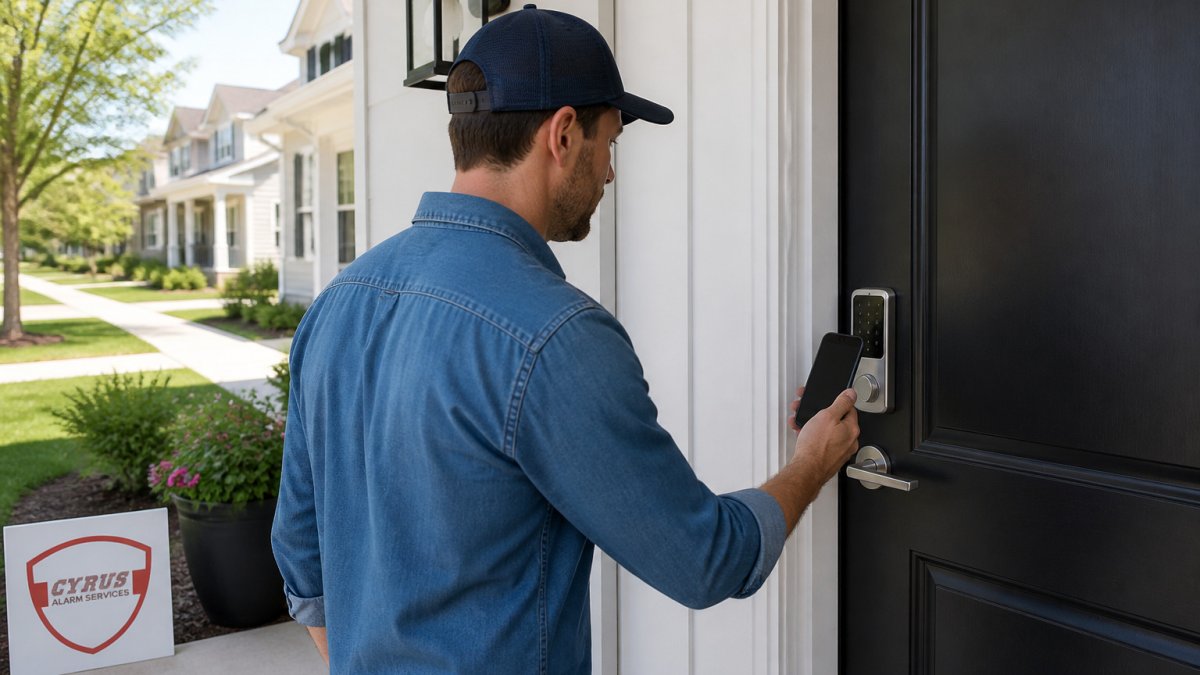
When choosing a lock, check three things: whether it works with your existing alarm panel, whether it supports the connection type your home uses, and whether it has a manual key backup for power failures. Many homeowners skip the last point and regret it later.
Watch out: a lock that depends entirely on Wi-Fi may stop responding during an internet outage unless it also supports local control.
2. Video Doorbells and Package Monitoring
A video doorbell records visitors at the front door and sends alerts when someone rings or motion is detected. Package monitoring is a common reason homeowners buy them, since a visible camera at the door can deter porch theft.
The main decision is whether you need live viewing, recorded clips, or both. Clip-based storage often costs extra each month, so ask about that before buying. Position matters too: aim the camera to catch faces and the path to the door, not only the top of the porch.
3. Smart Home Security Cameras for Indoor and Outdoor Coverage
Cameras are where the gap between a useful system and a frustrating one shows up most clearly. The fix is to shop on measurable criteria rather than marketing labels.
Resolution and field of view. Look for at least 1080p, and prefer 2K or 4K for any camera covering a driveway, side yard, or long entry path where faces and license plates need to be identifiable.
Night vision type. Infrared night vision renders black-and-white footage and can wash out faces at close range. Color night vision uses a visible spotlight or a larger sensor and produces more identifiable clips, but it can annoy neighbors and draws more power.
Local vs. cloud recording. Cloud storage is convenient but adds a recurring monthly cost per camera and depends on your internet connection.
Power source. Battery cameras are easy to mount but need recharging every few months and often miss the first seconds of an event while waking. Wired cameras (PoE or doorbell wiring) run continuously and support 24/7 recording, but installation is more involved.
AI-assisted detection. Person, vehicle, and package detection cut false alerts from leaves, shadows, and pets. Check whether detection runs on the camera or in the cloud, because cloud-based AI usually requires a subscription and stops working when the connection drops.
Weather rating. Outdoor cameras should carry an IP65 or IP66 rating at minimum. Freeze-thaw cycles, strong sun, and hail are hard on hardware, so confirm the operating temperature range on the spec sheet before mounting anything on an exposed wall.
A practical test before you commit. After installation, walk the coverage area at night, in rain, and at the times of day your home is busiest.
Privacy and data handling. Turn on two-factor authentication for the camera account, change default passwords, and review who has shared access. Check the retention period for cloud clips and whether the vendor supports end-to-end encryption.
A common approach for many homes is a mix of outdoor and indoor cameras covering the entry points and main living space. Budget for storage and any subscription separately from the hardware price, since those recurring costs can add up over time.
4. Door, Window, and Motion Sensors
Contact sensors on doors and windows and motion sensors inside the home are the foundation of most alarm systems. They are inexpensive, easy to install, and they give your panel the trigger data it needs.
A common mistake is placing motion sensors too close to a window or heating vent, which can lead to false alarms. Testing each sensor after installation is a good practice.
5. Water-Leak and Life-Safety Detectors
Smart water-leak detectors sit near water heaters, washing machines, and under sinks. When they sense moisture, they send an alert to your phone. A small leak caught early can help prevent water damage.
Connected smoke and carbon monoxide detectors are the other half of this category. Many models send alerts to your phone even when you are away, which matters if someone else is in the house or if you are traveling. Confirm that any detector you buy meets the applicable standards before you install it.
6. Choosing a Smart Home Hub and Control Panel
A hub or control panel ties your devices together. Without one, you may end up juggling separate apps for locks, cameras, and sensors. A good hub gives you a single dashboard, supports automated routines, and lets you arm or disarm the system from one place.
Start with a compatibility checklist. Before buying a hub, list every device you own or plan to buy and confirm four things for each: the wireless protocol it uses, whether it works with the hub natively or through a bridge, whether it supports local control, and whether it integrates with professional monitoring if you want that option. The common protocols you will encounter are Wi-Fi, Bluetooth, Z-Wave, Zigbee, Thread, and Matter. Matter is a cross-vendor standard, but support varies by device and by hub firmware version, so verify the specific model rather than the brand.
Local control vs. cloud dependence. A hub that relies entirely on the cloud stops working when the internet drops. Ask whether the hub can arm, disarm, and run automations locally, and whether it stores video or sensor logs on-site. Local control is the single biggest factor in whether your system keeps working during an outage.
Outage resilience. Power and internet outages are the test most buyers forget. Check for a battery backup in the panel, cellular backup for alarm signaling, and local recording for cameras. A system with all three can continue to sound an alarm, notify you, and record clips during a power and internet outage.
Migration planning. If you already have sensors and cameras, find out whether the new hub can adopt them or whether they are locked to the old vendor. Some panels support industry-standard sensor protocols and can reuse existing door and window contacts; others require proprietary sensors. Reusing existing sensors can reduce cost, so ask before you discard anything.
Ecosystem lock-in. Devices that only work inside one vendor's app are convenient until you want to switch. Prefer devices that expose a standard protocol or a documented integration, and keep a written inventory of model numbers, protocols, and account logins so a future migration is a checklist rather than a mystery.
Professional monitoring option. If you want monitored alarms, confirm the hub supports the monitoring path you prefer and understand the contract terms, including whether the equipment is yours or leased. A hub that cannot hand off alarms to a monitoring center limits your options later.
A practical order of operations. Choose the hub or panel first, confirm every planned device against the checklist, install the core sensors and locks, then add cameras and detectors. Test local control by unplugging your internet router and confirming the system still arms, records, and alerts. If it does not, you have found the gap to fix before adding more devices.
Building a Full Smart Home Security System, Step by Step
Adding devices one at a time works, but a planned system is easier to run. Here is a practical order of operations:
- Assess your home. List entry points, blind spots, and any older wiring or layout issues.
- Set a budget and priorities. Start with locks, sensors, and cameras at the main entry points.
- Choose a hub or panel first. Confirm every device you plan to add works with it.
- Install the core devices. Doors, windows, and the front entry usually come first.
- Add cameras and detectors. Position cameras to capture faces and paths, and place water and smoke detectors where they matter most.
- Test everything. Trigger each sensor, check alert timing, and confirm remote access works from outside your network.
- Set up routines. Automate arming, lighting, and alerts so the system works without daily attention.
Pricing depends on equipment selection, installation scope, and your monitoring plan. For current pricing and a quote tailored to your home, contact Cyrus Alarm Services directly.
Adding devices in a planned order makes the system easier to run, and the steps below set that order.
| Step | What to do | Note |
|---|---|---|
| 1. Assess your home | List entry points, blind spots and older wiring | Start with the layout |
| 2. Set budget and priorities | Begin with locks, sensors and cameras at main entries | Entry points come first |
| 3. Choose a hub or panel | Confirm every planned device works with it | Do this before buying devices |
| 4. Install core devices | Doors, windows and the front entry | Usually the first installs |
| 5. Add cameras and detectors | Aim cameras at faces and paths; place water and smoke detectors | Place where they matter most |
| 6. Test everything | Trigger sensors, check alert timing, confirm remote access | Test from outside your network |
| 7. Set up routines | Automate arming, lighting and alerts | Runs without daily attention |
Frequently Asked Questions
What is the best home security system in 2026?
No single system fits every home. Whole-home systems with professional monitoring suit families and frequent travelers who want one app for alarms, cameras and locks. Self-setup kits suit renters and budget-focused buyers. Compare hub compatibility, monitoring terms, and whether the system supports the smart locks and cameras you want before committing. A consultation can match the right system to your layout and budget.
Do smart security cameras work without Wi-Fi?
Many smart cameras need a stable Wi-Fi or wired network to send live video and alerts to your phone. Some models record locally to a microSD card or hub, which keeps footage available during an internet outage, but you lose remote viewing until the connection returns. Check whether a camera supports local recording and battery backup before buying. Systems with a hub and cellular backup keep alarms working during outages and are worth prioritizing for homes that travel often.
What should I upgrade first in a smart home security system?
Start with the entry points that matter most: a smart lock on the front door and a video doorbell. These address the most common break-in routes and give you remote access and alerts right away. Add door and window sensors next, then cameras for the backyard and garage. Save hub and automation upgrades for last, once you know which devices you need to connect. This order spreads cost across several months without leaving the most vulnerable points unprotected.
Ready to upgrade your home's security this year? Cyrus Alarm Services designs, installs, and services smart security systems for homes and businesses across the Denver area, with remote management through mobile apps and full Alarm.com integration. Request a quote and we will walk through a plan built around your home.