 listicle
What Is the Best Smart Security for Frequent Travelers?
Last Updated: October 25, 2026
Quick Summary
The best smart security for frequent travelers is a system with cellular backup and professional monitoring, so it keeps reporting when Wi-Fi fails. Our top pick is Cyrus Alarm Services, because full Alarm.com integration puts cameras, locks, and alerts in one app. Pair it with a portable door lock and travel alarm for hotel rooms.
- Vivint Smart Home lists monthly service at $29.99-$44.99 with professional setup and monitoring included.
- Ring Alarm Pro costs $20/mo or $200/yr, and that fee buys cloud storage and cellular backup.
- Abode offers a free tier, but free usually means self-monitoring with no cellular backup.
- Portable door locks and doorstop alarms run $15-$40 and need no app or subscription.
- For a two-week trip, use a panel with cellular backup, professional monitoring, and a battery that outlasts a typical outage.
Table of Contents
- Quick Comparison: Best Smart Security Systems for Frequent Travelers
- How We Evaluated These Systems
- 1. Cyrus Alarm Services: Full-Service Protection with Remote Home Monitoring
- 3. Ring Alarm Pro: Comprehensive DIY System with Subscription
- 4. Abode: Smart-Home Compatibility with a Free Tier
- 5. Frontpoint: Wireless Alarm Systems for Flexible Installation
- 6. Link Interactive, Google Nest, and Cove: Affordable Options to Compare
- The Bottom Line for Frequent Travelers
- Frequently Asked Questions
Quick Comparison: Best Smart Security Systems for Frequent Travelers
The best smart security for frequent travelers is a system you can check from anywhere, that keeps working when you're thousands of miles away. At Cyrus Alarm Services, we install and service these systems for families who travel often, and we've learned that remote access is only as good as the hardware behind it.
Below, we compare six options on remote monitoring and connectivity. Our top pick for most travelers is Cyrus Alarm Services, because full Alarm.com integration gives you one app for cameras, locks, and alerts.
| System | Best For | Remote Access | Monthly Fees | Professional Monitoring |
|---|---|---|---|---|
| Cyrus Alarm Services | Full-service remote monitoring | App-based, Alarm.com | Quote-based | Yes |
| Vivint Smart Home | Smart-home integration | App-based | $29.99-$44.99 | Yes |
| Ring Alarm Pro | DIY with subscription | App-based | $20/mo or $200/yr | Optional |
| Abode | No monthly fee | App-based | Free tier available | Optional |
| Frontpoint | Wireless installation | App-based | Not stated | Yes |
| Link, Nest, Cove | Budget comparison | Varies | Varies | Varies |
How We Evaluated These Systems
We scored each system on three things a traveler actually cares about: remote access reliability, how alerts reach your phone, and what happens when Wi-Fi drops. A system that looks great in a showroom is useless if the app times out while you're checking a door sensor from a hotel.
Our criteria come from rigorous in-home testing. If you want a practical checklist for protecting a home while you're away, our guide on home security for travelers walks through the steps we use with clients.
CISA guidance on securing smart home devices
1. Cyrus Alarm Services: Full-Service Protection with Remote Home Monitoring
Our top pick is Cyrus Alarm Services. We're a family-owned business, and we design, install, and service every system ourselves rather than shipping a box and hoping you figure it out.
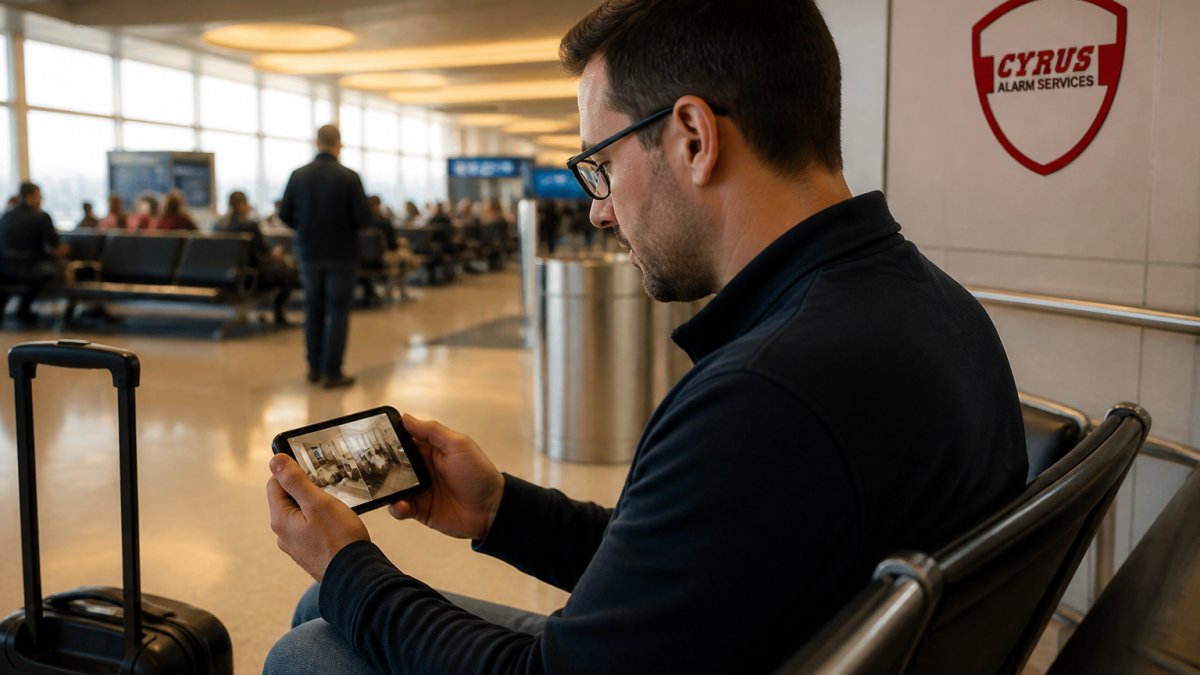
Remote home monitoring means real-time notifications when a door opens, motion detection that triggers a clip, and live video you can pull up from a hotel room. For more on managing entry remotely while you're away, see our smart lock access for travelers guide. If you want the setup details, our guide on remote home monitoring via phone covers the app configuration step by step.
Best for: Travelers who want one company to design, install, and support the whole system. Skip if: You want to self-install and manage everything yourself.
(https://ucr.fbi.gov/crime-in-the-u.s/2019/crime-in-the-u.s.-2019/topic-pages/property-crime)If you're weighing whether smart integration is worth it, our piece on why smart home security matters makes the case.
3. Ring Alarm Pro: Comprehensive DIY System with Subscription
Ring Alarm Pro is the DIY option we'd point a hands-on traveler toward. Wirecutter describes it as its most comprehensive tested DIY system, and the research reports strong performance from Ring sensors and devices.
That fee buys cloud storage and cellular backup, which is exactly what you want when the power or internet drops while you're away. If you're comfortable installing sensors yourself and paying monthly, it's a solid pick.
4. Abode: Smart-Home Compatibility with a Free Tier
Abode is the pick for travelers who don't want another monthly bill. The research identifies a free tier and strong smart-home compatibility, which puts it in a small group of systems you can run without a subscription.
Here's what the research doesn't tell us: the limits of that free tier and what the paid plans cost. Ask before you buy, because "free" usually means self-monitoring with no cellular backup.
5. Frontpoint: Wireless Alarm Systems for Flexible Installation
Frontpoint sells wireless alarm systems, which the research describes as flexible and easy to install. For travelers, wireless matters: sensors that detect motion or activity without running cable through walls mean you can move the system when you move.
Pricing isn't stated in the supplied research, so we won't guess at it. Ask for a written quote and confirm what monitoring tier you're getting. A wireless system is only as good as the monitoring contract behind it.
6. Link Interactive, Google Nest, and Cove: Affordable Options to Compare
Three names round out the list for budget-conscious travelers. Link Interactive appears in travel-focused security lists. Google Nest shows up as a home security option for travelers. Cove appears in a 2026 comparison.
The research doesn't verify specific prices or travel features for any of the three, so treat them as starting points for your own quote requests, not final answers. If you're comparing budget DIY brands, our roundup of alternatives for home security covers the trade-offs in more detail.
Watch out: A cheap monthly rate often means no cellular backup. When the Wi-Fi goes down mid-trip, you lose remote access entirely.
The gap these budget systems leave: securing a hotel or rental room
Here's the distinction most roundups blur. A home-away system protects an empty house.
Home-away protection (what the systems above do): door and window sensors, motion detectors, cameras, smart locks, and a monitoring subscription with cellular backup.
Hotel and rental-room security (what the budget brands above mostly don't sell): portable door locks, travel door alarms, a doorstop alarm, a portable safe or cable lock for laptops, and a personal safety alarm.
A practical split for a frequent traveler:
- Portable door lock or doorstop alarm: $15-$40. Wedges under the door or locks the latch from inside. No app, no battery anxiety, no privacy questions.
- Travel door and window alarm: $10-$25. A loud local siren if the door opens; some models pair to a phone by Bluetooth but do not need the internet.
- Portable safe or cable lock: $25-$60. Tethers a laptop or passport to a fixed object in a rental.
If you want the full pre-trip routine, home preparation, device setup, account security, and arrival checks, see our home security for travelers checklist. For the budget brands above, request a written quote that lists the monitoring tier, contract length, and cellular backup fee before you commit.
The Bottom Line for Frequent Travelers
The best smart security for frequent travelers comes down to one question: what happens when the connection fails? Systems with cellular backup and professional monitoring keep reporting when Wi-Fi doesn't. DIY systems without it go dark exactly when you need them most.
That single question separates the six systems above more than any feature list. Here is how the reliability picture actually breaks down.
What each layer can still do without internet
- Sensors and sirens: Most door, window, and motion sensors still trigger a local siren and log the event on the panel even when the internet is down. You just won't get the phone alert until the connection returns.
- Cameras: Battery-powered cameras with local storage (an SD card or a base station) keep recording to the card. Cloud-only cameras stop uploading. When you check the app from a hotel, you may see nothing until the camera reconnects.
- Smart locks: Most retain their programmed codes and keypad function offline. Remote unlock and temporary guest codes usually require the hub to be online.
Power failure is the second failure mode
A backup battery in the panel keeps the system alive for hours, not days. Ask how long the battery lasts and whether the panel reports a low-battery or power-loss event to your phone. A common pattern is 12 to 24 hours of standby on a panel battery, with cameras dropping off much sooner because they run on their own batteries or on household power.
Connectivity and power for travel itself
If you carry a portable camera or hub, plan for the plug. The U.S. uses 120V at 60Hz; most of the rest of the world runs 220-240V at 50Hz. A dual-voltage adapter (100-240V) is fine for phones and laptops, but check the device label before plugging a hub into a foreign outlet. A small travel router or a hotspot can keep a portable camera online in a rental with weak Wi-Fi, and offline recording on an SD card covers the gaps.
A repeatable pre-trip checklist
- Test every sensor and confirm the app notification reaches your phone.
- Confirm cellular backup is active and the panel battery is charged.
- Set smart lights on a schedule so the home looks occupied.
- Give a trusted neighbor a temporary lock code and your monitoring company's number.
- Pack the portable door lock, door alarm, and cable lock for the room itself.
- On arrival, check the rental's disclosed camera locations and never point a camera where a guest expects privacy.
If you travel with a portable security system for travel, remember that hotel and rental rooms have their own privacy rules, and you should never point a camera where a guest expects privacy.
FTC guidance on home security and privacy
Travel shouldn't mean wondering whether your front door is locked. Cyrus Alarm Services designs and installs systems with full Alarm.com integration, so cameras, smart locks, and life-safety devices all report to one app you can open from anywhere.
Frequently Asked Questions
What is the best smart security system for frequent travelers?
The best system depends on whether you want professional installation or DIY. A full-service option like Cyrus Alarm Services provides expert design, in-home testing, and remote home monitoring through a mobile app. For DIY, Ring Alarm Pro is a comprehensive tested system with subscription plans. Abode offers a free tier for smart-home compatibility. Compare installation, monitoring fees, and app reliability before deciding.
How can I monitor my home while I am traveling?
Use a security system with remote home monitoring through a mobile app. You can view live video, receive motion and sound alerts, and control smart locks and lights from anywhere. Before your trip, test the app's connection and set up real-time notifications. A home security checklist before vacation should include confirming your Wi-Fi is stable, checking battery backups, and sharing access with a trusted neighbor. Cyrus Alarm Services offers full Alarm.com integration for remote management.
Can smart lights make a home look occupied while I travel?
Yes. Smart lights to make a home look occupied can be scheduled to turn on and off at realistic times, or triggered randomly through your security app. Pair them with motion sensors and door sensors to create an occupancy simulation. This deters burglars who look for empty homes. Combine smart lighting with outdoor cameras and a portable security system for travel to protect both your home and your hotel room.
Are indoor security cameras useful when you are away from home?
Indoor cameras let you check on pets, monitor for intruders, and verify that doors are closed. Look for models with motion detection, sound detection, and two-way audio. Privacy is important: inform anyone with access to your home, and follow rental-property rules if you use cameras in a vacation rental. For hotel rooms, use a portable security system for travel like a travel camera or door sensor that you can set up temporarily.
What should I do if my Wi-Fi or power fails while I'm traveling?
Choose a system with cellular backup or battery-powered cameras. Ring Alarm Pro and professionally monitored systems often include cellular backup so alerts still reach you during an internet outage. Test battery life before your trip and set up local storage as a backup for cloud storage. If you use a portable security system for travel, pack a rechargeable battery and check device compatibility with your destination's power outlets.