 how-to
How to Upgrade Aging Alarms: A Step-by-Step Guide
Last Updated: October 23, 2026
Quick Summary
To upgrade aging alarms, start by assessing your current system's age, wiring type, and sensor condition, then choose between retrofitting existing wiring with a new panel or replacing the entire system. When you upgrade aging alarms, you eliminate security gaps from outdated panels that lack encryption and can't communicate with modern monitoring centers, while gaining smartphone control and reliable cellular communicators.
- Systems over 10-15 years old can't support smartphone control, cloud integration, or advanced sensors and should be upgraded
- A retrofit typically takes one to three days and keeps existing wiring in place, saving money compared to full replacement
- Door and window contacts are highly compatible across brands, but motion detectors often require replacement due to different signal protocols
- Modern systems reduce false alarms significantly, saving $75-$300 per incident in police response fees
- Total first-year upgrade cost ranges from $1,500-$4,000 including equipment, installation, and 12 months of monitoring service
Table of Contents
- Assess Your Current System Before Upgrading
- Upgrade Old Wired Alarm Systems Without Replacing Everything
- Alarm System Sensor Compatibility and Equipment Reuse
- Wireless System Conversion and Modern Monitoring
- Add Smartphone App Control to Your Existing Alarm System
- Understanding Alarm System Upgrade Costs and Budget Planning
- Safety, Codes, and Testing After Upgrading
- Frequently Asked Questions
Assess Your Current System Before Upgrading
Before spending money to upgrade aging alarms, determine whether your current setup is truly outdated or just needs maintenance.
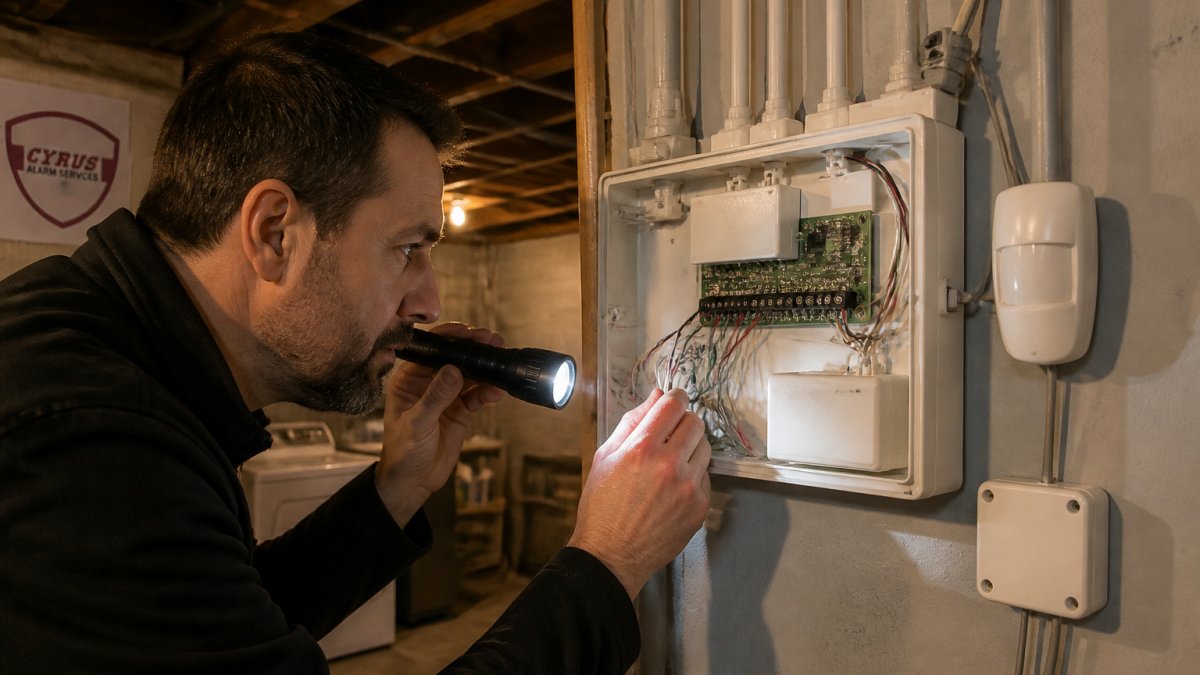
Locate your control panel, usually in a closet, basement, or utility room.
Check your communicator, which sends alerts to your monitoring service.
Document what you have:
- Control panel brand and model
- Age of the system
- Type of wiring (hardwired or wireless)
This documentation determines your upgrade path. Every consultation starts by understanding what's already in place, preventing costly mistakes.
Identifying outdated components and end-of-life risks
When you upgrade aging alarms, you eliminate real security gaps that outdated systems create.
End-of-life risks go beyond security. Manufacturers stop supporting old panels and parts become impossible to find, so a failure leaves you unprotected.
Check whether your monitoring company still supports your panel. Many have phased out older models, and if yours drops support you'll need to upgrade or switch on short notice.
Signs your system is truly outdated:
- Panel is over 15 years old
- Monitoring company says they're discontinuing support
- False alarms happen frequently
Documenting panel type, wiring, and sensor models
Document everything: photograph the control panel and wiring, note whether sensors are hardwired or wireless, and capture sensor model numbers.
Hardwired systems are more reliable but harder to upgrade. Wireless systems offer flexibility but require battery maintenance.
Document sensor types: door and window contacts are magnetic switches, motion detectors use passive infrared, and glass break sensors detect breaking-glass frequencies.
Call your monitoring company for account details on your panel and communicator.
Upgrade Old Wired Alarm Systems Without Replacing Everything
Hardwired alarm systems have been the industry standard for decades because they don't depend on batteries. The challenge is upgrading them without tearing apart your walls.
You don't always need to replace everything. Many modern systems work with existing wiring, saving money and reducing disruption.
Existing wiring can last indefinitely if it's in good condition.
Retrofit options for hardwired systems
A retrofit upgrades components while keeping your existing infrastructure, the most practical approach for most homeowners with wired systems.
Start with the control panel. A new panel can work with old wiring in good condition and supports hardwired and wireless sensors, plus smartphone control, cloud backup, and smart home integration.
Wired equipment converters bridge old and new technology, letting hardwired sensors work with wireless-capable panels.
A retrofit typically takes one to three days: the technician runs new panel wiring if needed, tests existing sensors, installs the new panel, and configures it to recognize all connected sensors.
Retrofit advantages:
- Keeps existing wiring in place
- Faster installation than full replacement
- Lower labor costs
When to replace the control panel versus reusing existing wiring
Replace your panel if it's over 12 years old, even if the wiring works fine.
Keep your wiring if it's properly installed and undamaged. Copper wire lasts decades; insulation can deteriorate, but that's rare in properly installed systems.
The decision comes down to cost versus capability.
Test existing wiring before committing to a retrofit.
Alarm System Sensor Compatibility and Equipment Reuse
Sensors are often the most expensive part of an alarm system, so replacing them all adds significant cost.
Compatibility depends on sensor type and panel capability. Hardwired sensors are generally compatible across brands; wireless sensors often won't work with another manufacturer's panel.
Testing existing sensors before upgrading prevents costly mistakes. A technician can verify which sensors will work with your new system.
Testing existing door, window, and motion sensors
Door and window contacts are simple devices. They're just magnetic switches that open and close a circuit. These are highly compatible across systems.
Motion detectors are more complex. They contain electronics that must communicate with the panel.
A technician tests each sensor by triggering it and watching for a response on the panel. They check for false alarms or delayed responses.
What gets tested:
- Door and window contacts for proper signal
- Motion detectors for range and sensitivity
- Glass break sensors for audible frequency detection
Some sensors will pass testing. Others may need adjustment or replacement. A professional assessment prevents surprises after installation.
Wired equipment converters and wireless bridges
A wired equipment converter lets hardwired sensors work with wireless-capable panels.
These converters are practical for door and window contacts.
Wireless bridges serve a different function. They extend the range of wireless sensors.
The cost of converters and bridges is modest compared to replacing sensors. A converter costs less than a new sensor.
Wireless System Conversion and Modern Monitoring
Converting from hardwired to wireless gives you flexibility and easier upgrades. Wireless sensors are battery-powered and communicate via radio signals.
The tradeoff is battery maintenance. Every wireless sensor needs a battery replacement every 2-5 years depending on the device.
Modern wireless systems integrate with monitoring services that offer smartphone control. You can arm and disarm remotely.
Cellular communicators and communication path options
Your communicator is how your panel talks to the monitoring center. Old systems used phone lines.
Cellular communicators are reliable. They work even if your internet is down.
Dual-path communicators use both cellular and internet. If one fails, the other takes over.
Installation is straightforward. The communicator mounts near your panel. It connects via a radio link to your panel.
Communicator options:
- Cellular only (most common, reliable)
- Cellular plus internet backup (best redundancy)
- Internet only (depends on your connection quality)
Professional monitoring service compatibility
Not all panels work with all monitoring services. Before upgrading your panel, verify that your monitoring company supports it.
Ask your monitoring company what panels they support.
Modern monitoring services offer more than just alarm response. They provide 24/7 professional monitoring.
Switching monitoring companies is possible but involves downtime. Your system will be unprotected during the transition. Plan this carefully.
Add Smartphone App Control to Your Existing Alarm System
Smartphone control is the most requested feature in modern alarm systems. It lets you arm and disarm your system from anywhere.
Not all older systems support smartphone control. If your panel is over 10 years old, it likely doesn't.
The upgrade is straightforward. A new panel connects to your communicator. The communicator links to the monitoring company's cloud service.
Remote access and smart home integration requirements
Remote access requires three components: a modern panel, a cellular communicator, and a cloud-connected monitoring service. If any of these is missing, remote access won't work.
The panel must have the processing power to handle app connections.
The communicator must support internet or cellular connectivity.
Your monitoring service must offer a cloud platform. They host the app and manage your account.
Smart home integration connects your alarm system to other devices. You can unlock doors from the alarm app.
Custom alerts, user codes, and household access management
Modern systems let you create custom alerts. You can get notifications when specific doors open.
User codes let different household members control the system. Your spouse gets one code.
Access management is crucial for families. You can see who armed or disarmed the system and when.
These features require a modern panel and monitoring service. They're not available with older systems.
Understanding Alarm System Upgrade Costs and Budget Planning
Upgrade costs vary widely depending on your current system and what you want to add. A simple panel replacement costs less than a complete system overhaul.
Understanding the cost breakdown helps you budget and plan. Equipment costs are separate from installation costs. Monthly monitoring fees are separate from both. Each component affects your total investment.
Equipment, installation, and monthly monitoring fees
Equipment costs depend on what you're upgrading. A new control panel costs between $400-$1,200 depending on features and brand.
Installation labor depends on your system complexity. A simple retrofit of existing wiring takes 4-8 hours.
Monthly monitoring fees range widely. Basic monitoring starts around $20-$30 per month.
Your total first-year cost includes equipment, installation, and 12 months of monitoring.
Lifecycle value and false alarm reduction benefits
A modern system reduces false alarms significantly. Older systems trigger false alarms frequently.
A new system with reliable sensors and proper calibration reduces false alarms to near zero.
Modern systems also reduce insurance premiums for some homeowners.
A quality alarm system protects your home for 10-15 years. The equipment lasts. The monitoring service protects you continuously.
Safety, Codes, and Testing After Upgrading
Alarm system installation must follow local electrical and fire codes. Some jurisdictions require permits for system installation. Fire alarms have specific requirements separate from intrusion detection systems.
Your local building department can tell you what permits and inspections are required. Fire alarm systems are often regulated separately from security systems. A professional installer knows these requirements and handles them correctly.
Fire alarm integration and permits in your jurisdiction
Fire alarms are life safety devices. They're regulated by the National Fire Protection Association (NFPA).
If you're integrating fire detection with your security system, specific rules apply. The fire alarm portion must be separate from the intrusion detection portion in some cases.
Permits are typically required for fire alarm installation. Your installer handles the permit application. The fire department inspects the system after installation.
Code compliance requirements:
- NFPA 72 fire alarm standards
- Local electrical codes for wiring
- Local building codes for installation
System testing, calibration, and sensor drift checks
After installation, your system must be tested thoroughly. Testing verifies that every sensor responds correctly.
A technician performs walk-through testing. They trigger each sensor and watch for proper response.
Sensor calibration is critical for motion detectors. Motion sensors can drift over time.
Testing takes 2-4 hours depending on system size. It's essential and non-negotiable. A system that hasn't been tested properly is unreliable. Professional installers always perform comprehensive testing before declaring a system ready.
Upgrading an aging alarm system protects your home and family.
| Upgrade Component | What It Does | Why It Matters |
|---|---|---|
| Control Panel | Processes all sensor signals and manages system logic | Old panels can't support modern features or monitoring |
| Communicator | Sends alerts to monitoring center and cloud service | Modern communicators use cellular backup for reliability |
| Wireless Sensors | Battery-powered devices that detect motion, door/window opening | Easier to install and upgrade than hardwired sensors |
| Smartphone App | Lets you control system remotely from any location | Provides peace of mind and convenient access management |
| Professional Monitoring | 24/7 monitoring center response to alerts | Ensures emergency services are dispatched when needed |
EXTERNAL SOURCES:
According to NFPA 72 fire alarm installation standards, fire alarm systems must be properly integrated with security systems in residential properties to meet code requirements.
Research from the Insurance Information Institute on home security discounts shows that monitored alarm systems can qualify homeowners for insurance premium reductions of 5-15% annually.
Frequently Asked Questions
Can an old wired alarm system work with a modern control panel?
Yes, in most cases. Modern control panels can integrate with existing hardwired sensors if the wiring is still intact and the sensor types are compatible. A wired equipment converter or retrofit adapter allows you to connect legacy door and window contacts and motion detectors to new panels. However, the age and condition of the wiring matter, corroded or damaged wiring may need replacement. Professional assessment ensures compatibility before you upgrade.
How do I know when my alarm system needs to be replaced?
Replace your system if it's over 10-15 years old, uses outdated communicators that no longer work with modern monitoring centers, experiences frequent false alarms, lacks smartphone control or remote access, or has sensors that drift or fail calibration. End-of-life systems pose cybersecurity risks and may no longer support cellular or broadband communication. If your panel no longer receives manufacturer support or spare parts, upgrading is the safer choice.
How much does it cost to upgrade an alarm system?
Upgrade costs vary based on system size, whether you reuse existing sensors, your choice of hardwired or wireless conversion, and professional installation labor. Equipment ranges from budget to premium options, and monthly monitoring fees depend on your service level. For accurate pricing tailored to your home or business layout and needs, contact a professional installer for a custom quote. Lifecycle value, reduced false alarms, remote control, and reliability, often justifies the investment.
Can you upgrade an alarm system without replacing the existing sensors?
Yes, if your existing sensors are compatible and functioning properly. Test each door, window, and motion detector before upgrading. Many modern panels accept legacy wired sensors through retrofit adapters or converters. Wireless bridges can also integrate hardwired sensors into a new wireless system. However, aging sensors may have drift or reliability issues, so professional testing and calibration are essential to confirm they will work reliably with your new panel.