 How-to
7 Steps to Find and Hire Alarm Installation Near You
Quick Summary
To find alarm installation near you, search locally, then compare at least three licensed providers that ask about your goals, offer written proposals and explain how they test equipment. Confirm the quote separates equipment, labor, activation and monitoring, and that life safety devices are included from the start.
- List what the system must protect against before requesting any quotes.
- Compare at least three local providers that are licensed where required.
- Ask each installer how it tests equipment before installation.
- Compare total cost over the monitoring term, not just the install price.
- Test every sensor and the monitoring connection after installation, and schedule an annual check.
Table of Contents
- Step 1: Define What Your Alarm System Needs to Do
- Step 2: Decide Between DIY and Professional Alarm Installation
- Step 3: Find Local Alarm Installation Companies Near You
- Step 4: Understand Home Security System Installation Cost
- Step 5: Prepare for a Professional Alarm System Setup
- Step 6: Verify Testing, Licensing, and Permit Requirements
- Step 7: Build an Alarm System Maintenance Routine
- Book Your Alarm Installation Consultation With Cyrus Alarm Services
- Frequently Asked Questions
7 Steps to Find and Hire Alarm Installation Near You
Last Updated: November 12, 2026
Step 1: Define What Your Alarm System Needs to Do
Searching for alarm installation near me is easy. Choosing the right system and the right installer takes more thought. This guide walks through seven steps, from defining needs to keeping your system working for years.
Start by listing what you want the system to protect against. Most properties need some mix of life safety, intrusion detection and remote access. Write down who lives or works in the building, when they are usually there, and what you most want to avoid.
Life Safety, Intrusion Detection, and Remote Access
Life safety covers smoke, carbon monoxide and fire detection. Intrusion detection covers doors, windows and motion sensors that detect break-ins. Remote access lets you check status, arm or disarm the system and receive alerts from a phone. Families with young children often put life safety first. Frequent travelers often prioritize remote access and smart lock control. Small business owners often need intrusion protection after hours and camera coverage.
Watch out: a system designed only for break-ins may miss smoke or carbon monoxide hazards, so confirm life safety devices are part of the plan from the start.
Step 2: Decide Between DIY and Professional Alarm Installation
Many homeowners ask whether they can install a system themselves. The honest answer is that both paths can work, but they fail in different ways, and the failure modes matter more than the sticker price. The right choice generally depends on property size, wiring age, whether life safety devices are involved, and how much of the ongoing maintenance you want to own.
What DIY Actually Involves
A DIY kit typically ships with a panel, a handful of door and window contacts, a motion sensor, and a keypad or app. You handle device placement, pairing, zone programming, and app setup. That is realistic for a small apartment or a simple single-story layout with a few entry points. The hidden work is in the details: sensor placement that avoids false triggers from pets or HVAC vents, battery and tamper monitoring, and confirming the panel actually reaches a monitoring center if you add a plan.
What Professional Installation Adds
A professional installer typically tests devices in place and confirms the panel can reach the monitoring center before leaving. Testing matters because a poorly placed motion sensor can trigger nuisance alarms or miss a sliding door, and a panel that reports "ready" can still fail to send a signal. Professional installation also matters when the system must integrate with smoke and carbon monoxide devices, where placement and interconnection follow manufacturer instructions and local code.
The Trade-Offs That Actually Decide It
- Wiring and retrofits: Older homes with finished walls often need wireless devices or fish-tape runs; a pro can tell you which is cheaper before you buy.
- Life safety devices: Smoke and CO detectors have placement rules and interconnection requirements that vary by code cycle; mistakes here are not cosmetic.
- Permits and inspections: Many jurisdictions require a permit for a commercial alarm or for hardwired life safety work, and the installer usually pulls it.
- Monitoring compatibility: Some DIY panels work with only one monitoring provider; pro-installed panels are often more flexible, which affects long-term cost.
- Insurance treatment: This is the angle most guides skip. Some homeowners insurance policies offer credits for alarm systems, so ask your insurer what it requires before you choose.
- Warranty and support: Pro installation typically bundles a workmanship warranty and a service number to call; DIY support runs through the manufacturer, often by chat or email.
Watch out: a DIY system that is never tested end-to-end can look armed on the app while a zone is silently offline, so if you go DIY, test every sensor at the panel and confirm the monitoring signal path before you rely on it.
The two paths differ in where they fail, so the article's trade-offs can be compared at a glance: see how professional installation compares with DIY setup for the evidence on whether professional setup makes a difference.
| Factor | DIY | Professional installation |
|---|---|---|
| Device testing | Owner tests each sensor at the panel | Installer tests devices in place before leaving |
| Life safety devices | Placement rules must be followed by the owner | Placement and interconnection handled to code |
| Permits | Owner must check local requirements | Installer usually pulls the permit |
| Monitoring flexibility | Some panels work with one provider only | Often more flexible, affecting long-term cost |
| Support | Manufacturer chat or email | Workmanship warranty and service number |
Step 3: Find Local Alarm Installation Companies Near You
Local companies can respond faster for service calls and understand regional building conditions. Start with a search for alarm installation near me, then compare at least three providers. Check whether each company is licensed where required, asks about your goals before quoting and offers written proposals.
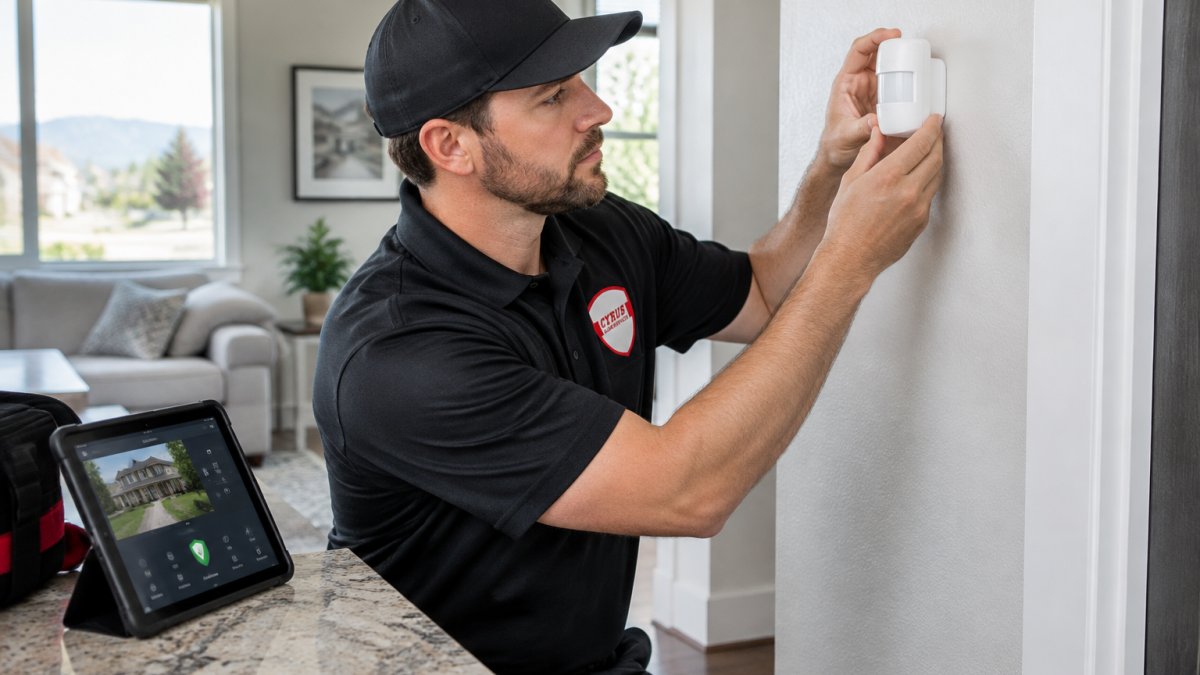
Ask each installer how it tests equipment before installation. Cyrus Alarm Services is a family-owned and operated business that rigorously tests every device in the home. Our guide on Benefits of Local Security Companies in 2026 explains what nearby providers can offer over national chains.
For a fuller picture of how to evaluate installers, read How to Hire a Security System Installer before you make a decision.
Step 4: Understand Home Security System Installation Cost
Installation costs vary widely with equipment, device count, wiring needs, and monitoring plans, so a single national number would be misleading. What you can do is understand the cost structure so you can compare quotes line by line instead of comparing a single total. Pricing depends on the property and the services requested; request a written estimate that separates equipment, labor, monitoring, and any recurring fees. For current prices or a quote, visit the Cyrus Alarm Services website.
The Four Cost Buckets
- Equipment: Panel, keypad, door and window contacts, motion sensors, glass-break detectors, sirens, cameras, and smart locks. Equipment is usually the largest one-time line and scales with the number of zones and cameras.
- Labor and installation: Time on site, wiring runs, device mounting, panel programming, and testing. Older wiring or finished walls can add labor because runs take longer.
- Activation and setup: Some providers charge a one-time activation or programming fee; ask whether it is included in the install quote or billed separately.
- Monitoring and connectivity: A recurring monthly charge for the monitoring center, plus cellular or internet connectivity if the panel uses a communicator. This is the line that determines your multi-year cost.
What Moves the Quote Up or Down
- Property size and entry points: More doors, windows, and outbuildings mean more devices and more labor.
- Wiring condition: Older or damaged wiring may need repair before new devices work, and that repair is often a separate line item.
- Cameras and smart features: Video, smart locks, and remote access add equipment and setup time, and video usually adds storage or subscription cost.
- Life safety devices: Smoke and CO devices add equipment and, in some jurisdictions, permit and inspection fees.
- Monitoring term: A longer contract often lowers the monthly rate but raises the total commitment; compare the total over the term, not the monthly headline.
Compare Total Cost of Ownership, Not the Install Price
A low installation quote with a high monthly monitoring rate can cost more over three to five years than a higher install with a lower rate. Add up equipment, labor, activation, and 36 to 60 months of monitoring to get a realistic number. Ask each provider for the monthly rate after any promotional period ends, and ask whether the equipment is owned or financed, because financed equipment can carry interest and a lien-like obligation.
Questions to Ask Before You Sign
- Is the monitoring rate locked for the term, and what happens at renewal?
- Are permits and inspection fees included or billed separately?
- Is there a cancellation or early-termination fee, and how is it calculated?
- Does the quote include testing and a walkthrough, or is that billed as a service call?
- Does the provider report to your insurer for a premium credit, and what documentation do they supply?
Watch out: a quote that lists only a monthly rate without the equipment, activation, and term details is not comparable to a written estimate, so ask for the full breakdown before you decide.
Step 5: Prepare for a Professional Alarm System Setup
Preparation makes installation faster and reduces surprises. Before the installer arrives, walk through the property and mark doors, windows and areas you want covered. Note where you expect people to enter, where pets move around and where existing wiring runs.
Gather your internet details, since many modern systems depend on a reliable connection. Decide who will receive alerts and who has permission to arm or disarm the system. Keep a list of household members and emergency contacts ready for the monitoring setup.
Step 6: Verify Testing, Licensing, and Permit Requirements
Before work begins, ask the installer which licenses and permits apply to your project. Requirements vary by location, so confirm locally rather than relying on general rules. Ask whether the installer will handle any permit applications and whether inspections are needed.
After installation, ask for a full test. A good test covers each sensor, each camera, the panel, the monitoring connection and the mobile app. Walk through the test with the technician so you understand how to arm, disarm and read alerts.
Step 7: Build an Alarm System Maintenance Routine
A security system only protects you if it keeps working. Build a simple routine. Test sensors and sirens monthly, replace batteries as the panel or app recommends, and clean camera lenses so footage stays sharp. Review the app for firmware updates and confirm your contact information is current with the monitoring provider.
Plan an annual check with your installer. This visit can catch aging equipment, worn batteries and changes to your property. Our guide on How to Upgrade Aging Alarms covers when replacement makes sense, and How to Stop False Alarm Triggers explains common fixes for nuisance alerts.
Guidance on home security system selection from the Federal Trade Commission
Book Your Alarm Installation Consultation With Cyrus Alarm Services
Choosing an alarm system is a decision you live with every day. Cyrus Alarm Services offers custom consultation, installation and servicing, with full Alarm.com integration and rigorous in-home testing of every device. Our family-owned team can review your property, explain your options and give you a written quote.
Get a quote from Cyrus Alarm Services today and protect your home or business with a system built around your needs.
Frequently Asked Questions
How much does professional alarm installation cost?
Professional alarm installation pricing depends on the equipment chosen, the number of entry points and sensors, whether the home is wired or wireless, and whether you add cameras or smart lock access. Because Cyrus Alarm Services has not published standard prices in this article, the most accurate figure comes from a site assessment and written quote. Ask every installer to itemize equipment, labor, activation fees, and monthly monitoring separately so you can compare offers on the same basis.
How long does a typical home alarm installation take?
Most residential alarm installations are completed in a single visit, though larger homes, multi-story layouts, or systems with cameras and smart home integration can take longer. Plan for the technician to walk the property, mount panels and sensors, test each device, and confirm monitoring activation before leaving. Ask the installer for a timeline during your consultation, and confirm the appointment window in writing so your household can plan around the visit.
Is it better to DIY or hire a professional for alarm installation?
A DIY system can work for a small apartment with a few wireless sensors, but professional installation is usually the better choice for whole-home coverage, hardwired panels, life safety devices, and remote access tied to a monitoring plan. Professionals test each device, place sensors to reduce false alarms, and handle activation with the monitoring center. If you choose DIY, follow the manufacturer's placement guide and run a full test before relying on the system.